Member resources
For TSCN Doctor Members
Access the current TSCN 3D Agent Model and download the latest member documents, flyers, pledges, newsletter, and event invitation from one responsive resource page.
TSCN 3D Agent Model
Open the current TSCN 3D Agent Model resource.
Open resource
Interactive presentation & video
TSCN Wreath v7.1
View the interactive presentation in your browser or download the standalone HTML to keep a copy. Watch or download the MP4 video.
View interactive HTML · Download standalone HTML (1.7 MB)
Watch MP4 video · Download MP4 (111 MB)
Website badge kit
TSCN Floating Member Badge

Add the TSCN Proud Member logo to your website. It stays visible near the lower-right corner while visitors scroll and links to tscn.care.
The ZIP includes the original logo, an installable WordPress plugin, copy-and-paste website code, a local preview, and installation instructions for WordPress, Wix, and other sites with custom HTML/CSS support.
Download TSCN Website Badge Kit (ZIP · approximately 1 MB)
Installation instructions
WordPress
- Download and unzip the kit.
- Inside the wordpress folder, keep tscn-floating-member-badge-plugin.zip zipped.
- In WordPress, go to Plugins → Add New Plugin → Upload Plugin. Select that inner ZIP, install, and activate.
- Optional: use Settings → TSCN Badge to change the destination to your own published About TSCN page.
Wix
- Use a published site with a connected domain and access to Settings → Custom Code.
- Upload the included logo to Wix Media Manager. Replace the image path in website-code/COPY-PASTE.txt with its public HTTPS address.
- Paste the complete edited snippet into Settings → Custom Code → Add Custom Code.
- Select All pages, Load code once per visit, and Body – end; click Apply and ensure it is enabled.
- Check the published website, including navigation between pages. Custom code does not appear in the editor.
Other websites
Upload the logo, update its address in the supplied snippet, and place the complete snippet in the site-wide footer code area. Full instructions and removal steps are in README.txt and INSTALLATION.html.
Use one installation method only. Check desktop and mobile, test the link, and ensure the badge does not cover appointment buttons, chat, cookie controls, or important text. Use the badge while your practice is a TSCN member. The Wix instructions follow documented platform support; test the result on your published site.
Collective marketing

Sign-up documents & authorization forms
Choose Print & Sign for a PDF, or Click & Sign for an online form.

Doctor Sign-Up Documents — All Four
Membership Pledge, Membership Agreement, Doctor Flyer and Credit Card Charge Authorization in one seven-page PDF. Select your tier and sign once on the final page.
Open the complete sign-up PDF →
Complete Doctor Sign-Up Online
Read all four documents, choose your membership tier and complete one online signature.
Review and sign online →

TSCN Membership Pledge
Read the twelve Articles of the Pledge and affirm patient-centered, independent practice.
Open the Membership Pledge PDF →
Doctor Membership Agreement
Compare tier benefits and review the current membership terms, fees and practical responsibilities.
Open the agreement PDF →
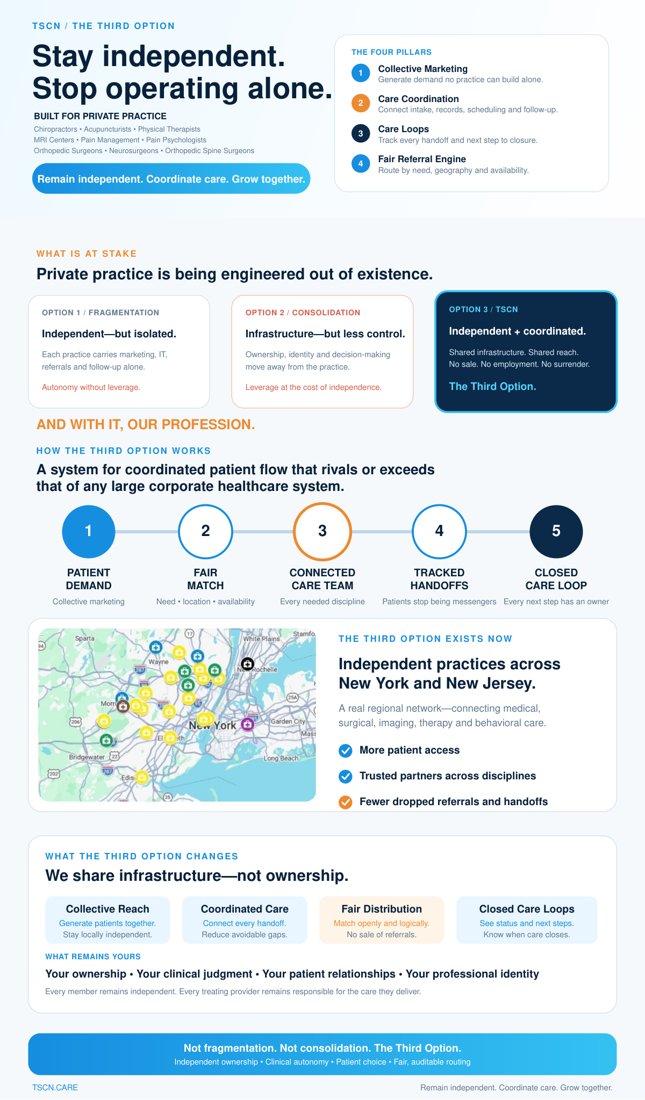
TSCN Doctor Flyer
Explore TSCN membership and the specialty Collective Marketing fee schedule.
Open the Doctor Flyer PDF →
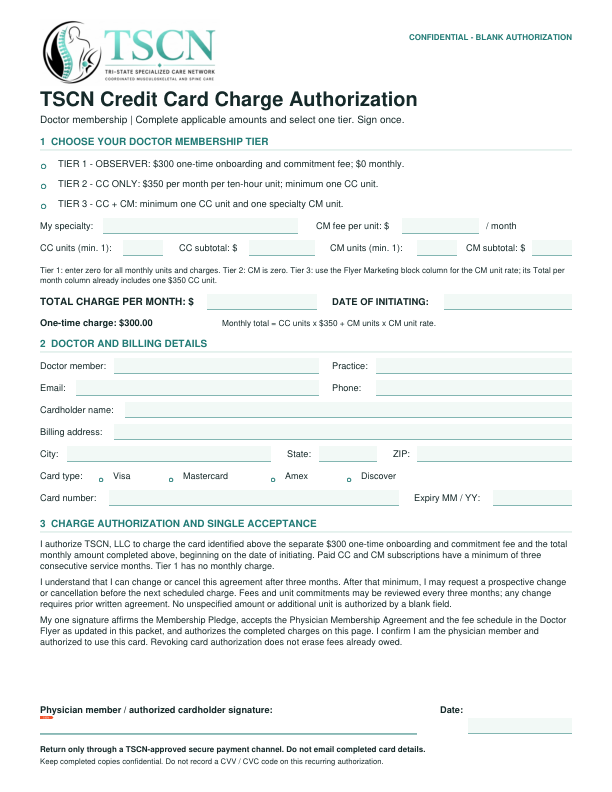
TSCN Credit Card Charge Authorization
Select your tier and units, enter the total monthly charge and initiation date, and authorize the completed charges. Initial three-month minimum for paid subscriptions.
Open the blank authorization PDF →
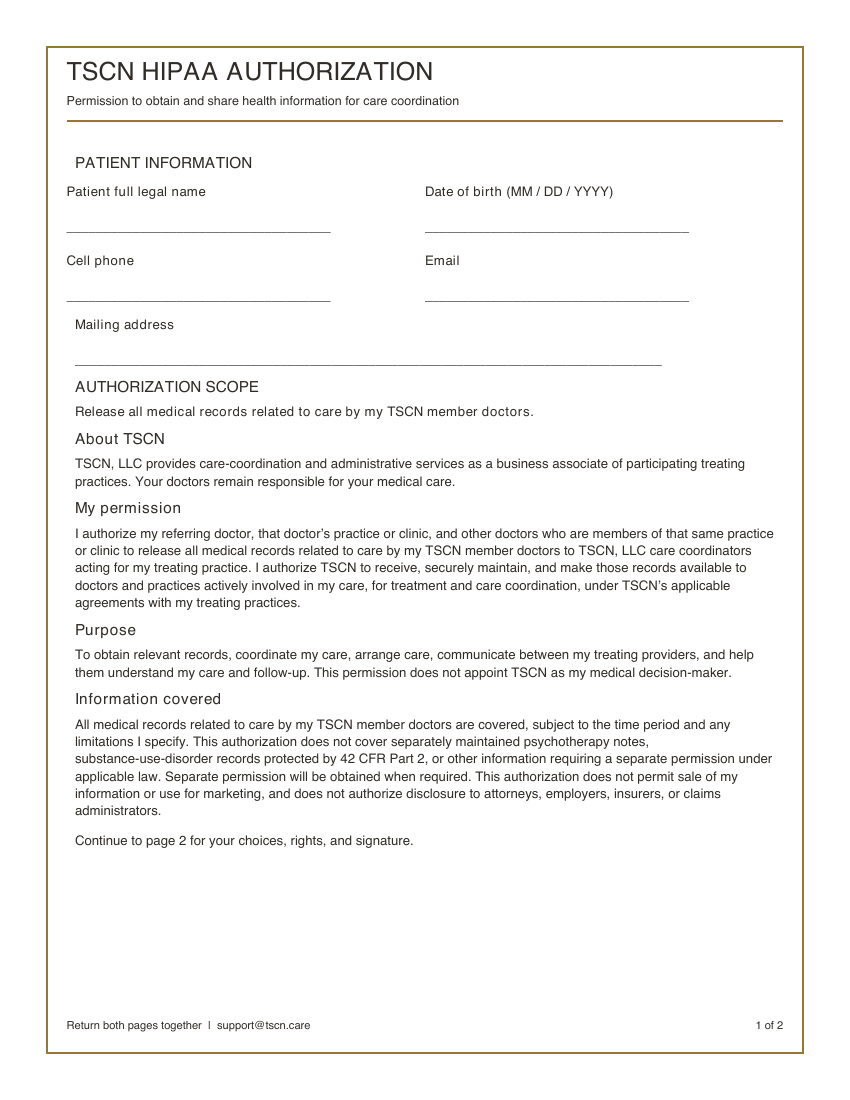
TSCN HIPAA Authorization — Print, Sign & Return
Patient permission for TSCN to receive, maintain, and share medical records related to care by TSCN member doctors. Print, sign, scan, and return to support@tscn.care.
Open printable HIPAA form →

TSCN HIPAA Authorization
Permission for TSCN to receive and share medical records related to care by TSCN member doctors with doctors and practices actively involved in the patient’s care.
View the authorization information →
Document downloads
Select a PDF preview, title, or download label to open or download the document.
This page is intended for TSCN doctor member resources and document access.